The Issue

I don’t mind reading Amazon Kindle books on my iPhone, but sometimes a bigger screen is nice. Thankfully Amazon has Kindle apps for PC, Mac, iOS, Android, etc. The issue I’m having is that my notes and highlights don’t usually sync correctly from Kindle for Mac to Kindle for iOS.
I tried manually synching, but that just seems to push the furthest read page rather than notes and bookmarks. I tried all the combinations you can imagine in terms of the order in which I open the app on the two devices. No success.
The Fix
What I ended up having to do is archive the item on my iPhone and then re-download it to get the correct set of notes and highlights. My guess is that it’s a bug in the iOS app.
Anyone else having this issue and figured out a different work-around?



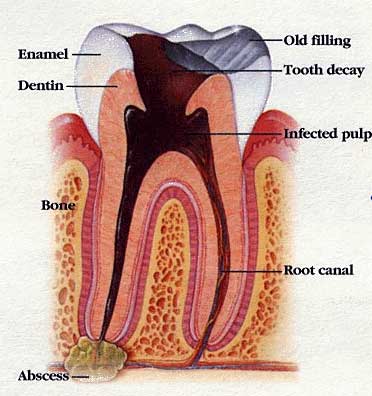 Today I had the strangest experience ever. My dentist decided I needed a root canal so I went to the endodontist to have the operation. They put a rubber dam around the tooth which was no fun because it covered my mouth, so my only breathing option was through my nose.